

EtherCAT
Dieser Inhalt ist noch nicht in deiner Sprache verfügbar.
With an EtherCAT connection, the logiccloud runtime exchanges process data with EtherCAT devices, for example Beckhoff EL terminals behind an EK1000 coupler. The connection runs as the ethercat-connector process on the device.
The EtherCAT documentation has these parts:
- Creating an EtherCAT connection (this page).
- Setting up the EK1000: the coupler and the network.
- Devices and mapping: ENI and ESI import, bus scan, mapping, deploying.
- Example: EK1000 with EL2008 and EL3182: a complete project, step by step.
- SubDevice role: logiccloud as a device in the segment of another master.
- Troubleshooting: log lines and common problems.
An EtherCAT segment has exactly one MainDevice (master). The connection has one of two roles:
| Role | logiccloud | Example |
|---|---|---|
| MainDevice | sends the frames and reads and writes the devices on the bus | EK1000 with EL2008 and EL3182 |
| SubDevice | is a device in the segment of another master | a TwinCAT PLC exchanges values with logiccloud |
This page and the next three, and the example, describe the MainDevice role. The SubDevice role has its own page.
Transports
Section titled “Transports”| Transport | How the frames travel | Needs |
|---|---|---|
| UDP | EtherCAT frames inside UDP packets to an EK1000 coupler (EtherCAT Open Mode). Destination port 34980 by default. | An IP route from the device to the EK1000. A router between them is allowed. |
| Layer 2 | Raw EtherCAT frames (EtherType 0x88A4) on a network interface of the device | A network interface used only for EtherCAT, cabled to the first EtherCAT device or in the same layer-2 network. The connector needs the capability CAP_NET_RAW. Layer-2 frames are not routed. |
Prerequisites
Section titled “Prerequisites”- A device with logiccloud Control on Linux, 64-bit: amd64 or arm64. The EtherCAT connection is not offered for other platforms.
- For UDP: the EK1000 is set up as described in Setting up the EK1000. logiccloud Control 6.92.8 or later: older versions send from a changing UDP port, and the EK1000 can ignore them after a reconnect.
- For layer 2: a free network interface on the device that the connector can see. On a device installed with the Linux installation script, install the container with the host network first: see Layer 2 on a device installed with the Linux script.
- EtherCAT appears under Add connection only when it is enabled for your logiccloud installation. Existing EtherCAT connections stay visible and editable.
- No other master runs the segment. Stop TwinCAT or any other master on the same EtherCAT segment before you deploy. For the EK1000 over UDP, see Make sure that logiccloud is the only master.
Layer 2 on a device installed with the Linux script
Section titled “Layer 2 on a device installed with the Linux script”The installation script linux-setup.sh (see Setting up the device) runs logiccloud Control in a container. By default the container has its own network, and the network interfaces of the device (for example eth1) are not visible in it. For layer 2, run the container with the host network:
- On the device, run the installation script again with the option
--network hostand the commandreinstall-container, for examplesudo bash linux-setup.sh --network host reinstall-container. The container keeps its data, and the setting is kept for later updates. Expected:Container reinstalled and running. - Check that the connector sees the interface:
sudo docker exec logiccloud ls /sys/class/net(with podman:sudo podman exec logiccloud ls /sys/class/net). Expected: the interface for EtherCAT, for exampleeth1, is in the list. - Enter this interface as Network interface in the EtherCAT connection.
With the host network:
- The container uses the ports 8080, 42010 and 42011 of the device directly. They must be free. Port mappings (
--ports) do not apply. - Only one logiccloud container can run on the device.
- The container gets the capability NET_RAW, which layer 2 needs.
The option --network is in the installation script of logiccloud Control 6.92.9 and later. With an older script, linux-setup.sh --help does not list it. To switch back, run the script with --network bridge reinstall-container.
Creating an EtherCAT connection
Section titled “Creating an EtherCAT connection”-
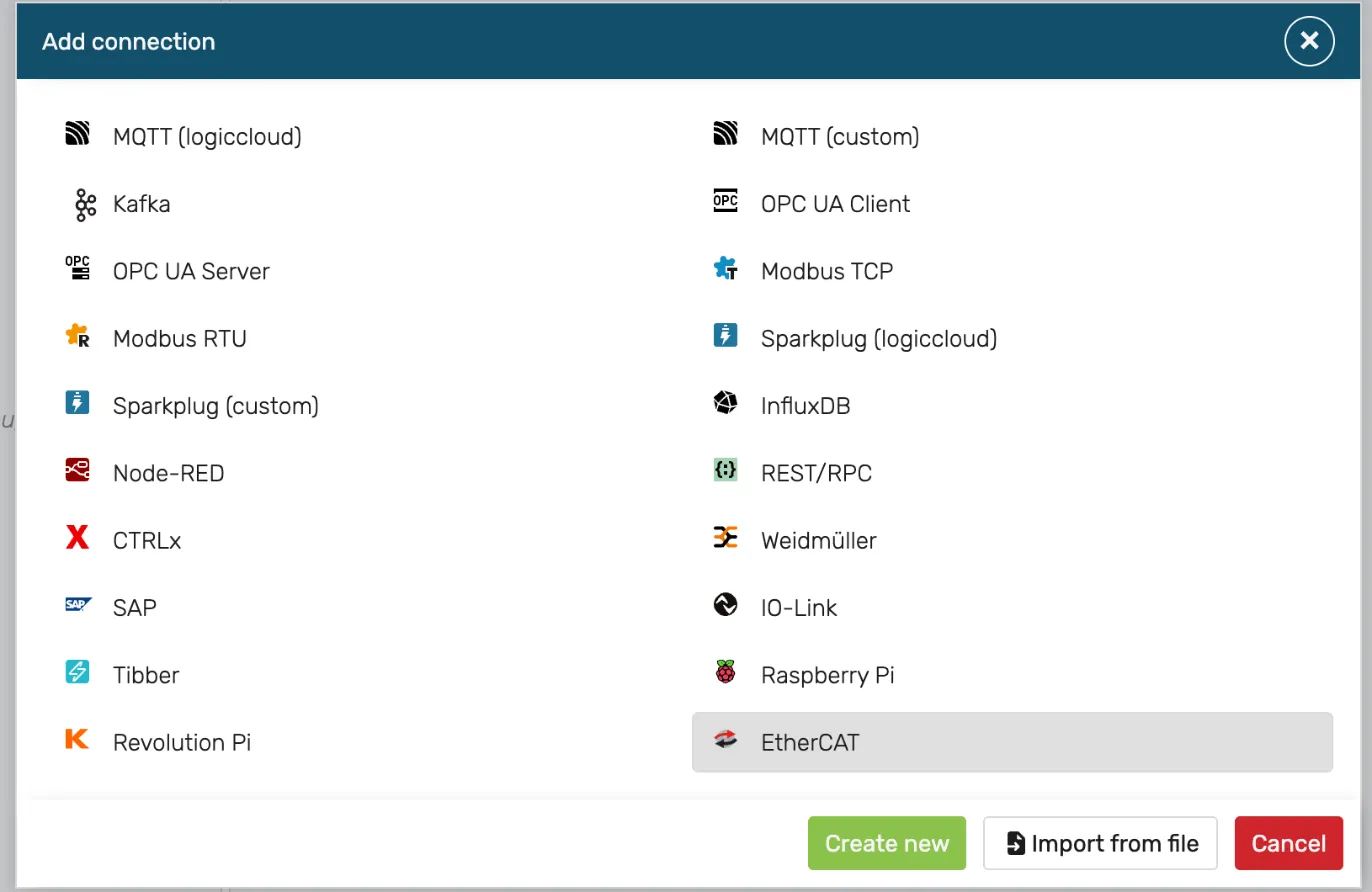
In the project tree, open the menu of the runtime and select Add connection. Select EtherCAT, then Create new.
-
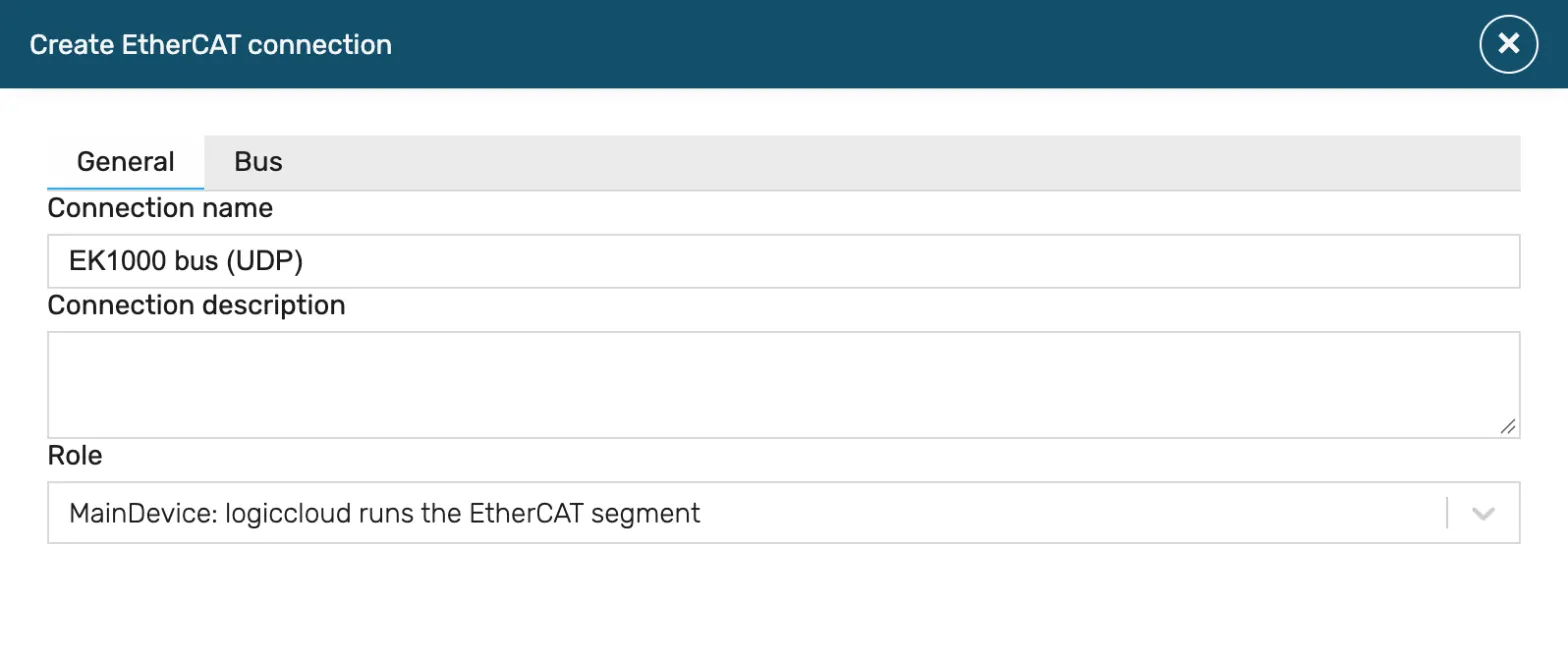
On the General tab, enter:
- Connection name (required, at most 100 characters, unique in the runtime) and Connection description (optional).
- Role: MainDevice: logiccloud runs the EtherCAT segment.
-
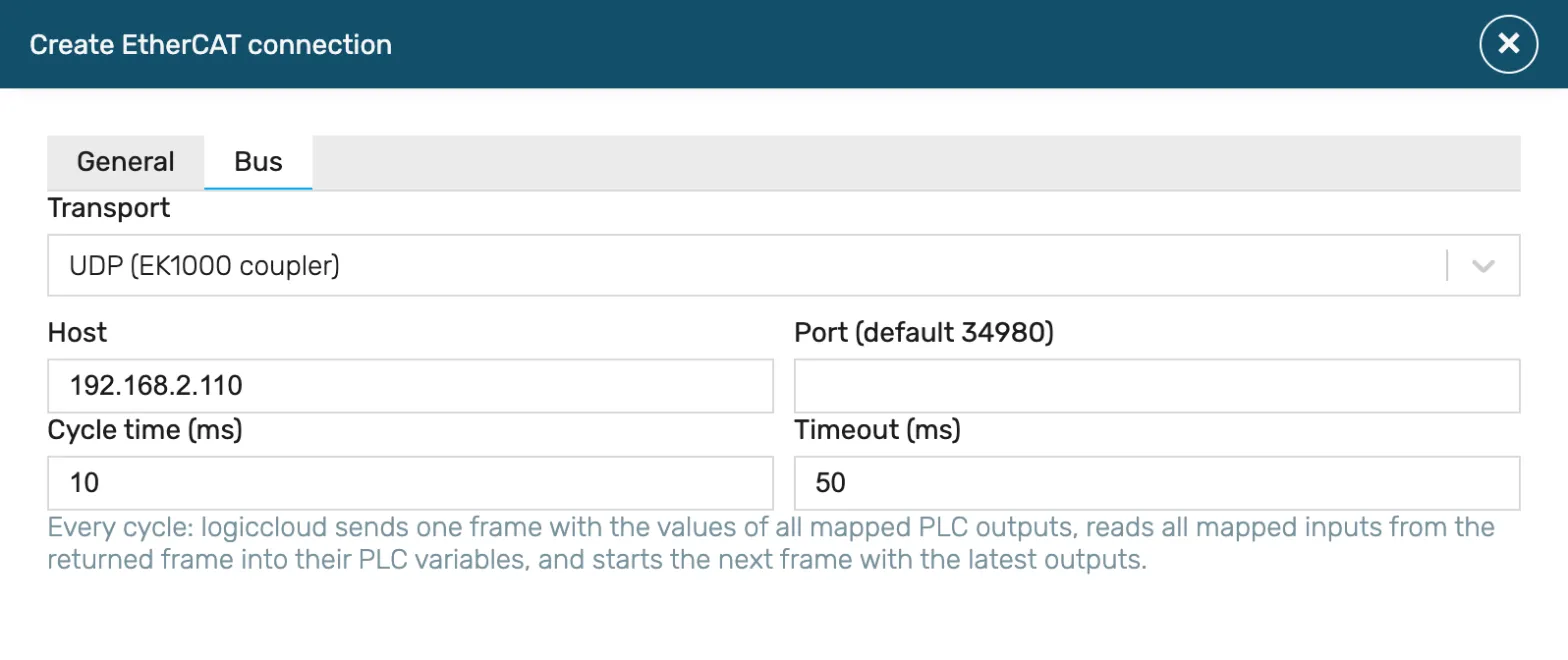
On the Bus tab, select the Transport:
-
UDP (EK1000 coupler): enter the Host (IP address or host name of the EK1000). Leave Port (default 34980) empty to use 34980.
-
Layer 2 (network interface): enter the Network interface, for example
eth1(at most 15 characters, no/,:or spaces).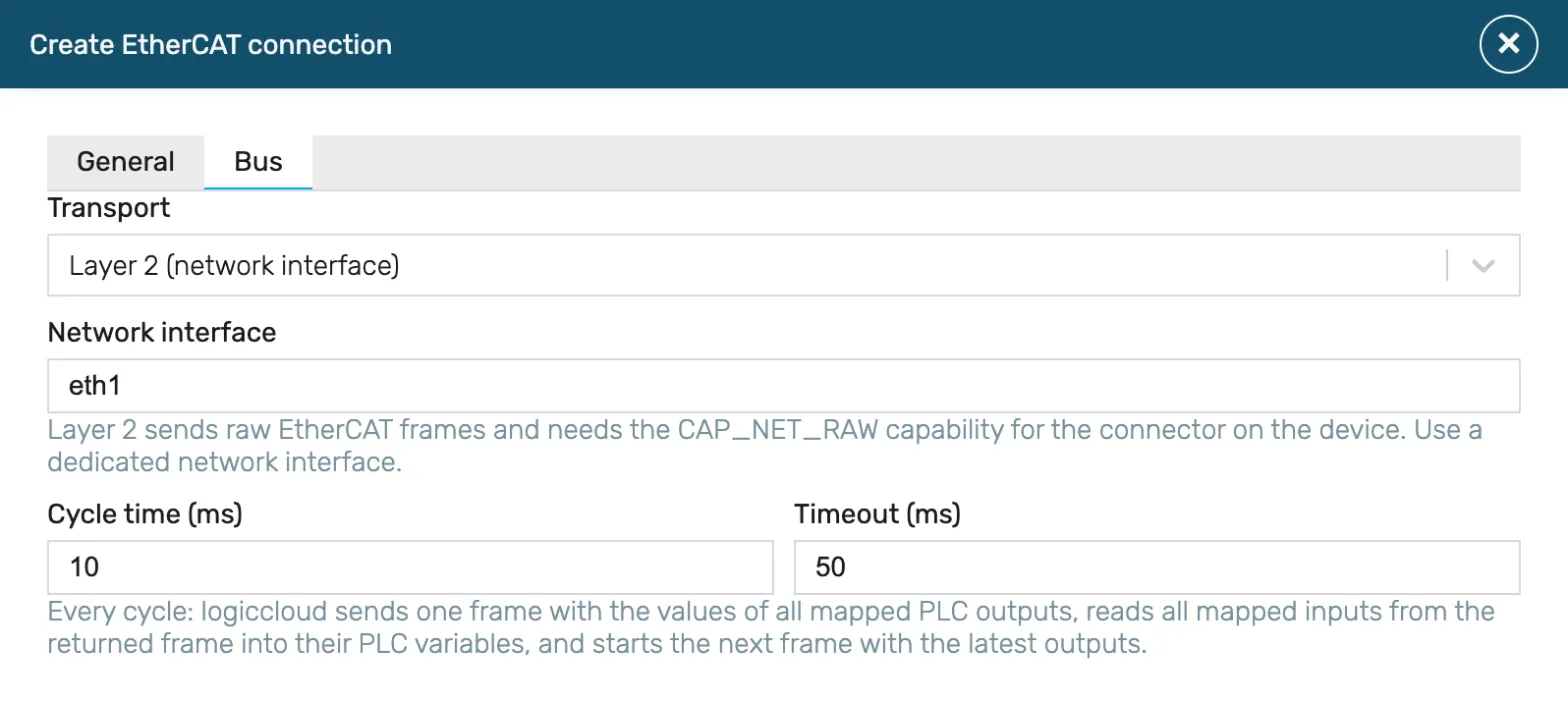
-
-
Set Cycle time (ms) (default 10, at least 1) and Timeout (ms) (default 50, at least 1). See Cycle time and timeout.
-
Select Save. A tab with an invalid value shows a red !: open it and correct the value.
Expected result: the connection appears under the runtime in the project tree, with a child node <connection name> Mappings.
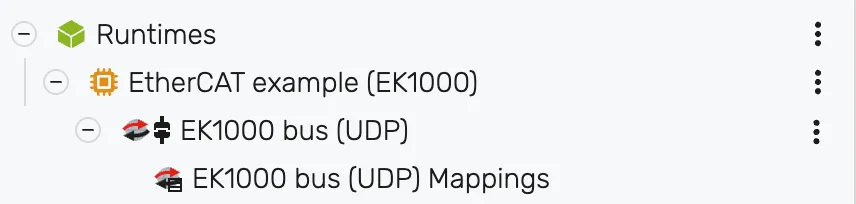 Next, add the devices of the bus: see Devices and mapping.
Cycle time and timeout
Section titled “Cycle time and timeout”Every cycle, the connector sends one frame with the values of all mapped PLC outputs, reads all mapped inputs from the returned frame into their PLC variables, and starts the next frame with the latest outputs. The whole process image (outputs and inputs of all devices) travels in this one frame.
- Cycle time: the time between two frames. Keep it shorter than the sync manager watchdog of your devices: a device whose watchdog expires leaves OP (AL status code 0x001B).
- Timeout: how long the connector waits for the reply to one frame. It sends a frame up to 4 times (the first attempt and 3 repeats). When no reply arrives, the connector reconnects (see Reconnecting).
- A cycle that comes too late is skipped, not queued.
Measured in the lab (layer 2, 10 ms cycle time, Raspberry Pi 4 class device, aarch64, against acontis EC-Simulator): p50 10.00 ms, p99 11.03 ms between two frames.
Reconnecting
Section titled “Reconnecting”When the bus is not reachable (no reply, cable unplugged, EK1000 restarted), the connector logs EtherCAT connection failed, will reconnect and tries again. The wait starts at 1 s and doubles up to 30 s. After the connection reaches OP, the wait starts at 1 s again.
- Layer 2: the connector sees the link state of the network interface. When the link comes back, it reconnects at once (
EtherCAT link is up again, reconnecting now). Measured in the lab: OP about 1.5 s after the link came back. - UDP: the connector cannot see the link state between the router and the EK1000. After a cable pull, the next attempt follows the wait above, so OP can take up to about 30 s after the cable is back. The connector sends from the same UDP port after every reconnect, so the EK1000 accepts it again without a restart of the EK1000 (see Make sure that logiccloud is the only master).
Stopping the runtime
Section titled “Stopping the runtime”When the runtime stops, the connector sets all outputs to 0, sends one last cycle with these values, and switches the devices to SAFEOP (log line EtherCAT master state: outputs reset, slaves in SAFEOP). The devices do not go to INIT.
Limits
Section titled “Limits”- Distributed clocks (DC): not supported.
- Mailbox: CoE only, and only for the start-up commands of the ENI file (SDO download and upload). The PLC program has no SDO access at runtime. EoE, FoE, SoE and VoE are not supported.
- Process image: outputs and inputs of all devices together at most 2035 bytes (one datagram).
- Data types: BOOL, BYTE, SINT, USINT, WORD, INT, UINT, DWORD, DINT, UDINT, REAL, LWORD, LINT, ULINT, LREAL. The width of the type must equal the width of the PDO entry. Entries with other widths (for example 2 to 7 bits, 24 bits or strings) cannot be mapped.
- Layer 2 in a container: needs the host network, see Layer 2 on a device installed with the Linux script.
- One master per segment: the connector and a bus scan cannot use the same segment at the same time. Another master (TwinCAT) must be stopped.
- No authentication: see Network security.